Without Docker
npx @igoruehara/canvas-flow@latest --openVisual workspace for AI automation
Build, test, and run AI agents with visual workflows, RAG, MCP, conversation memory, API access, WhatsApp, and Web Widget channels.
The standalone npm package serves the static frontend and the NestJS API from the same Node process. Docker remains optional when you want MongoDB and Milvus locally for a full RAG sandbox.
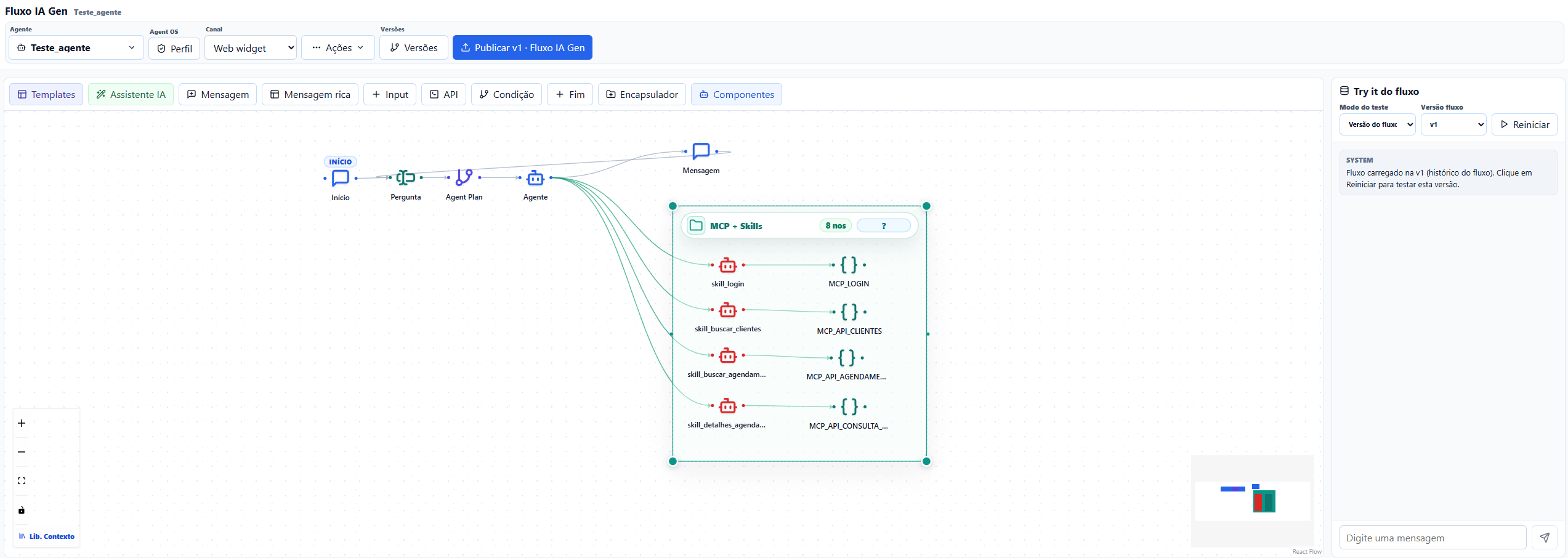
Canvas Flow brings the workflow editor, agent runtime, external tools, memory, and channels into one operational workspace.
Design flows with message, input, RAG, MCP, API, condition, approval, and end nodes.
Run frontend and backend together through `npx`, with local Docker infrastructure or remote services.
Expose agents through API keys, Web Widget, WhatsApp, webhooks, and MCP clients.
Use documents, OpenAI embeddings, Milvus/Zilliz, Azure Search, and agent-scoped retrieval.
Keep conversation memory by agent and conversation, with releases, API keys, and LangGraph checkpoints.
Configure LLM providers, storage, channels, OAuth, and secrets outside the published package.
Use the English docs as a compact reference for providers, channels, API usage, custom webhooks, cron jobs, and the component catalog.
LLM, embeddings, vector search, storage, and MongoDB component settings.
WhatsApp callbacks and Web Widget embedding for websites and products.
API keys, runtime calls, custom webhooks, callbacks, queues, and cron execution.
A quick map of the nodes available in the visual editor.
`agents.md`, guardrails, rules, skills, subagents, and mcpServers define the agent contract. The orchestrator can plan, choose capabilities, and delegate to specialized skills without needing an external agent-to-agent protocol inside the product.
Captures the strategy, validation points, inputs, outputs, and success criteria before execution.
Selects the right skills, respects guardrails, and decides when tools should be called.
Handle focused tasks, use allowed MCP servers, and normalize responses back to the orchestrator.
MCP is the integration layer for tools. Canvas Flow can call external MCP servers, discover tools with `listTools`, execute `callTool`, and expose saved flows as MCP tools for external clients.
Connect through Streamable HTTP, SSE, or WebSocket.
Keep authorization in the node configuration instead of spreading secrets through prompts.
Let MCP clients call saved Canvas Flow agents with JSON-RPC 2.0.
The PT-BR blog includes the first product overview and practical notes about the architecture.